
SlotLounge Login — Access Your Account and Fix Sign-In Problems
Most login pages in this industry give you a form, a “forgot password” link and little else. While the sign-in works, that is enough. The trouble starts at 11pm when the page will not load and you cannot tell whether the fault sits with your account, your browser, your internet provider or the casino. Sorting out which one it is comes first, because each of those has a different fix.
This guide follows the order a support agent uses: the normal sign-in, then password recovery, then the situation most help pages skip, which is what to do when slotlounge.com does not respond at all. It also covers why the fix people reach for first tends to make the problem worse. If you have not registered yet, create an account and come back to this page. For background on who runs the casino and how its Curaçao licensing is described, read the SlotLounge Casino Australia review.
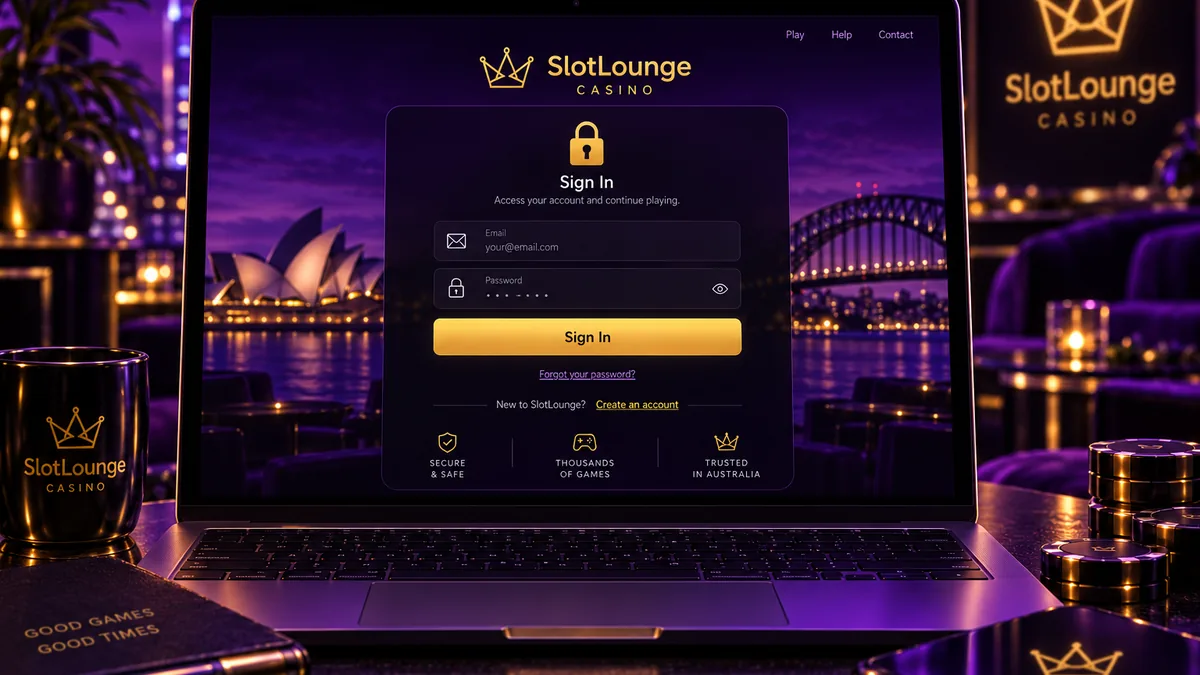
How to log in to SlotLounge — desktop and mobile
SlotLounge runs a single account across desktop and mobile. There is no separate mobile registration and no second set of credentials to keep track of. Your username is the email address you signed up with, and the brand does not offer social login through Google or Facebook, so there is no shortcut button to fall back on.
On a desktop browser
Open slotlounge.com and click Login in the top-right of the header. Enter your registered email, type the password by hand instead of trusting autofill, and confirm. When the details match, you land in the lobby with your balance shown in the header. That same header opens the cashier access you need for deposits and withdrawal requests.
Two small things trip people up. The email field ignores capitalisation, but the password field does not, so a capital letter in the wrong place is enough to be rejected. A trailing space copied out of a password manager also counts as a character. Paste the stored password into a plain text box once and look at what is really saved there before deciding the casino is at fault.
On a phone or tablet
There is no native app and no APK for this brand. SlotLounge runs as a mobile web build in Safari or Chrome at the same address you use on a computer. On a phone the sign-in form usually sits inside the hamburger menu rather than on a header button, since the mobile header has less room. Add the site to your home screen and the shortcut behaves close enough to an app that you can stay logged in on mobile without typing your credentials in every session.
Mobile sessions drop more often than desktop ones. Phone browsers close background tabs to free up memory, and a casino tab left sitting behind others is a prime candidate. Losing the session in the middle of a spin does not cost you the spin, though. Pokie rounds are settled on the server, so a completed round is credited whether or not your browser was still open to watch it.
Forgot your password — recovery step by step
Resetting a password is the most common reason anyone lands on a login help page in the first place. Recovery at SlotLounge is the standard email-based kind, with no security questions or SMS codes in the way.
Click “Forgot password” under the form and enter the email you registered with. The reset link expires quickly, so treat it as good for under an hour and do not sit on it. Open the link, set a new password, then sign in with it right away so the browser saves the value that actually works.
If nothing arrives within a few minutes, go through these in order. Check the spam and promotions folders first, because casino mail lands there constantly for Gmail and Outlook users. Rather than scrolling, search the mailbox for “slotlounge”, since the sender name might not read the way you assume. Make sure you are looking in the address you genuinely registered with. People who signed up on a phone often used a secondary account without really thinking about it. On a work or university address there is one more possibility, which is that the organisation filters gambling senders before the mail ever reaches you.
Changing the account email is not something you can do on your own. The account is tied to identity verification, so that change runs through support and usually asks for the same documents as a withdrawal check. If the registered mailbox is gone for good, contact support before you try logging in again. Repeated failed resets against an unreachable email tend to set off a security hold, which only adds a step.
Why the login page will not load at all
This is the situation that sends most people searching for help, so here it is plainly: if the page never appears, your password is not the cause and resetting it will change nothing. A blank screen, a timeout, a “this site can’t be reached” message or a block notice are all access problems. They sit somewhere between your device and the server, not inside your account.
Regional filtering
SlotLounge filters requests at the network edge. Depending on where a request seems to come from, the site may show a block page, send a redirect, or simply not answer, and that call is made before any login form is even drawn. This is the operator’s own setup. It is not a fault in your browser and not a sign that anything has happened to your account. Because the filtering sits on the operator’s side, a page that loads one day and refuses the next does not mean your login details have changed.
One thing to avoid completely is hunting for mirror domains on forums or Telegram. Cloned sign-in pages are a standard phishing trick aimed at offshore casino players, and the fake form collects precisely what the scammers want: your email, your password, and in time your verification documents. If the operator did not publish a domain itself, treat it as hostile and stay off it.
DNS and network problems
A fair number of “the casino is down” reports come down to DNS. Australian internet providers resolve domain names through their own servers, and offshore gambling domains are often among the first to drop out of those resolvers or return outdated records. The giveaway is fairly specific. Every other site loads normally, while this one fails the moment you try it instead of hanging for a while.
Before assuming the worst, do a bit of diagnosis. Restarting the router is the first step, since it clears outdated cached DNS records and quietly fixes a fair share of these cases on its own. Comparing the domain on a second, independent network tells you whether the fault is local to your home setup or something wider. Keep in mind that where a provider or a corporate or campus network blocks gambling domains at the firewall as a matter of policy, that is a deliberate decision on their side, and no browser setting undoes it.
Browser cache and cookies
When the page half-loads, the styling comes out broken, or the form takes your details and drops you back onto itself, a cookie conflict is nearly always behind it. The browser is handing the server an expired session token, and the server threw that token away a long time ago.
Clear cookies and cached files for that one domain rather than wiping the whole browser, then try again in a private window. A private window carries no stored state, which makes it a quick way to see whether the problem is your saved data. If the login works in private browsing but fails in your normal window, an extension or a stored cookie is doing it. Ad blockers and the strict tracking protection built into Firefox and Brave break casino login scripts often enough to be worth checking early. For what the site stores and the reasons behind it, see how your data is handled.
When a VPN causes the problem rather than solving it
A VPN is usually the first tool people reach for when a gambling site will not load. More often than they expect, it is the reason the login stops working.
The reason is straightforward. Casino platforms run fraud and bonus-abuse checks against your connection, and a session that begins in one country and carries on in another looks just like an account that has been taken over. Shared VPN exit addresses are used by hundreds of other people at once, so the address you land on may already carry flags from someone else’s behaviour. What you get is a login that fails for no reason you can see, a verification request out of nowhere, or a session that dies every few minutes.
The account risk is the bigger issue, well beyond the inconvenience. Misrepresenting where you are breaches the terms you agreed to when you registered, and operators tend to enforce that at withdrawal time, which is exactly the moment the money matters. Accounts have been closed and balances held on that basis alone. We do not recommend running a VPN to reach SlotLounge. If one is already on for other reasons, turn it off before you sign in and check whether the problem clears on its own.
Why your details are rejected
If the page loads and the form appears but your details are refused, you are dealing with something else again. The message on screen is the best clue you have, and each version of it points at a particular cause.
| Symptom | Likely cause | What to do |
|---|---|---|
| “Email or password is incorrect” on the first attempt | Typo, caps lock, or autofill inserting an old password | Type the password manually once. If it fails again, go straight to reset instead of guessing. |
| Details accepted, then you land back on the login form | Stale session cookie or blocked cookies | Clear cookies for the domain, allow cookies for the site, retry in a private window. |
| Button spins and nothing happens | Login script blocked by an extension or tracking protection | Disable ad blockers and shields for this domain, then reload. |
| “Account not found” | Different email used, or registration never completed | Search your mailbox for the confirmation email. No confirmation means the account was never finalised. |
| “Too many attempts, try again later” | Rate limiting after repeated failures | Stop for 15–30 minutes. More attempts extend the lockout rather than clearing it. |
| Sign-in works but the cashier is unavailable | Verification hold on the account | Submit identity documents. The cashier reopens once checks clear, normally within 24 hours. |
| “Account restricted” or “not available” | Self-exclusion, closure, or a duplicate account flag | Contact support. This is not something a password reset touches. |
Read the message properly before you act on it. “Account not found” tells you the login does not exist, while “incorrect password” tells you it does, and treating one as the other can burn a whole evening. Once you are back in, bonus codes are entered through the account area rather than the login screen, so you can redeem a code inside the cashier with a qualifying deposit.
Reset your password and get back inAccount locked, suspended or self-excluded
Some failed logins simply cannot be fixed from your side, and it is fairer to say that up front than to send you round in circles.
A temporary lock after several wrong passwords clears on its own. Wait it out, reset the password properly, and the account works normally again. A verification hold is temporary too. It shows up when identity checks are still outstanding, usually after a first withdrawal request, and it lifts as soon as your documents are approved. Neither one is a punishment, and neither one costs you your balance.
A suspension is a different matter. Duplicate accounts, mismatched payment details or a breach of the terms can all lead to one, and only support can discuss it. There is no self-service path around a suspension. Stop trying to log in and open a chat instead, because extra attempts add nothing to your case.
Self-exclusion is the restriction people misread most often. When you set an exclusion period, the account is closed to you for the full term. Support cannot reverse it, and opening a second account under different details will not get around it either, since the block is meant to hold for the whole period by design. Registering a duplicate account during an exclusion is a breach of the terms and forfeits any balance. If you do not remember setting a block at all, ask support directly which restriction is on the account.
If the reason you want back in is to play through an exclusion you set for yourself, stop for a moment first. The National Gambling Helpline is on 1800 858 858, free and confidential at any hour, and BetStop at betstop.gov.au handles self-exclusion across licensed Australian services.
Staying signed in safely
Once you are back in, the concern moves from getting access to keeping the account safe. Most sign-in trouble traces back to a handful of causes: a password or autofill slip, a regional or provider block, a cache and cookie clash, VPN interference, or a hold on the account. The security side is about making sure the first person through the door is you.
SlotLounge does not advertise app-based two-factor authentication, which leaves your password and your email account carrying most of the security load. The mailbox becomes the weak point long before the casino does, because anyone who gets into your email can trigger a reset and walk straight in. Two steps close most of that gap. Turn on two-factor authentication on the email account itself, and use a casino password that exists nowhere else. Credential stuffing, where attackers replay passwords leaked from unrelated breaches, is how the majority of gambling accounts are taken over.
Shared devices call for some care. Ticking “remember me” on a family laptop leaves a live session waiting for whoever opens the browser next, and a session sitting on a funded balance is worth taking. Sign out on purpose when you finish rather than just closing the tab.
Public Wi-Fi in cafés, airports and hotels is fine for reading but poor for anything involving money, since you cannot see what sits between you and the internet on a network like that. For a deposit or to check a withdrawal, your own mobile data is the safer choice. If you do sign in from an unfamiliar network, leave everything else alone for that session, with no new payment methods and no edits to a withdrawal address. Once the account is open and verified, you can jump straight to the tables or the pokies lobby without going near account settings.
What to do if support has to step in
Live chat runs around the clock and is the quickest way to reach a person, with [email protected] as the written alternative when you want a record of the exchange. Support is offered in English and German. For access problems, chat has the edge, because an agent can look at the state of your account while you are describing what happens.
How you word the first message decides how long the whole thing takes. Agents field a lot of bare “I can’t log in” notes, and every one of those costs a back-and-forth just to work out what is going on. Give them the registered email, the exact wording of the error, whether the page loads at all, your device and browser, whether you have already tried a private window and a different network, and roughly when it started. A message like that saves several rounds of questions later.
Never send your password. No genuine agent will ask for it, and anyone who does is not working for the casino. Screenshots are useful, though you should crop out balances and anything else you do not need to share. If the problem turns out to be verification, having clear photos ready shortens things a lot: a driver licence or passport plus a recent proof of address, with checks usually clearing within 24 hours of being submitted. Keep everything in a single thread as well. Starting a second chat about the same issue resets your place in the queue and leaves the next agent with none of the history.
FAQ
Why does SlotLounge load on my phone but not on my home Wi-Fi?
Nearly always DNS or a provider-level block on the broadband connection, while your mobile network still resolves the domain. Start by restarting the router, since that clears outdated cached records and fixes a good share of these cases. If the broadband block is a deliberate one at the provider level, that is a decision on their side rather than a fault you can clear, and it is not a sign the site itself is down.
Can I use one account on several devices at once?
You can be signed in on a laptop and a phone at the same time, but running the same account in two live game sessions at once is asking for trouble. Platforms read that as a fraud signal, and one of the sessions usually gets dropped mid-round. For real-money play, stick to one device at a time.
I reset my password but the old one still works. Is that normal?
No, that is not right. It means the reset never completed, most likely because the link expired before you opened it, or you set the new password in one browser while another still held a live session. Ask for a fresh reset, finish it in one sitting, then sign out everywhere and sign back in with the new password.
Does logging in from a different state in Australia cause problems?
Moving between Australian states is not the kind of location change the platform reacts to, so travelling within the country is not what makes a login fail. The thing that does set off checks is an apparent jump between countries in a short space of time, and that is exactly the pattern a VPN creates.
My account is fine but the cashier will not open. What now?
That pattern points to verification that is still outstanding rather than a login fault. Submit your identity documents through the account area and wait for approval. Deposits from AU$30 and any withdrawal request stay locked until the check clears, and it usually clears inside a day.
The reset email never arrives even after I check spam. What else can I try?
Give it a full ten minutes before deciding it has failed, because provider-side filtering can hold gambling mail back rather than drop it. Add [email protected] to your contacts so a later attempt is not treated as junk, and check whether a filter or rule in the mailbox is quietly moving or deleting it. If several requests in a row bring nothing, the address on the account may not be the one you are watching, and that is a question for support rather than another reset.
Should I save my SlotLounge password in the browser?
A dedicated password manager is a better home for it than the browser’s built-in store, mostly because it travels between your devices and is harder for someone at the same computer to read out. Whichever you use, the casino password should be unique to this account. Reusing one you already use elsewhere is the single habit that undoes every other precaution on this page.
Sign in to SlotLounge and continue playingAbout this page. Written and maintained by the SlotLounge Australia editorial team. Bonus terms, banking limits and payout times are re-checked against the operator's own pages and public registries; where sources disagree, we say so on the page rather than pick the prettier number.